Courses
/
Binary Options Mastery — Trade with Confidence on Optionly
/
The trade screen, piece by piece
Module 2 — Your Platform — Optionly Walkthrough
The trade screen, piece by piece
106 words • ~0 min read
Open app.optionly.io → you land on the trade screen. Here's every part that matters:
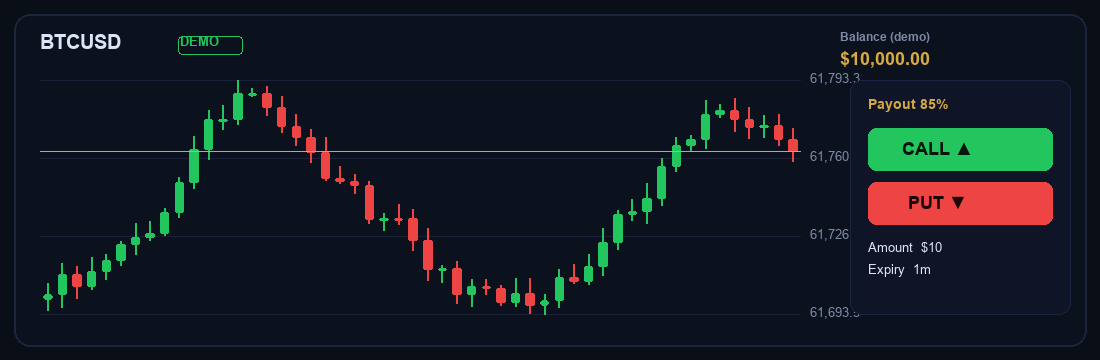
The Optionly trade screen
• Balance (top-left) — your demo or real funds. • Asset tabs — All / Forex / Crypto / Metals, with live prices. • Chart — candles + your indicators (timeframes 1m/5m/15m/1h). • Trade panel (bottom-right) — the symbol, payout %, your Amount, the Duration (expiry), and the two buttons: PUT ▼ / CALL ▲.
Tip
The number next to the symbol (e.g. 85% · +$8.50) is the payout — what you earn on a winning $10 trade. Higher payout = better reward per win.
The number next to the symbol (e.g. 85% · +$8.50) is the payout — what you earn on a winning $10 trade. Higher payout = better reward per win.
Save this lesson for offline reading
Course content
M1 — Foundations
M2 — Your Platform — Optionly Walkthrough
M3 — Reading the Chart
M4 — Entries & Timing
M5 — Risk & Money Management
M6 — Signals & Your Roadmap